We Share the Top 8 Data Enrichment Tools for Smarter Pipeline Growth
Quick Summary
This guide breaks down the top data enrichment tools, what they offer, and how they help revenue teams work with cleaner, more complete data. You’ll see how each tool handles accuracy, identification, intent, and enrichment depth, plus where RB2B stands out for real-time buyer insight. For deeper guidance on building the right enrichment stack for your workflow, visit the RB2B blog.
Looking for the Best Data Enrichment Tool for Your Business?
Weak data costs you more than you realize. U.S. companies alone lose $3.1 trillion each year due to poor data quality. You may have leads, but without context like job titles, company details, and buying signals, your team is forced to guess who’s worth pursuing instead of making informed decisions.
Data enrichment tools fix that. They pull in verified, real-time insights about your prospects so you can segment accurately, personalize outreach, qualify faster, and increase revenue without increasing workload.
In this RB2B guide, we’ll break down the top data enrichment tools, their pros and cons, and how to choose the one that fits your business best.
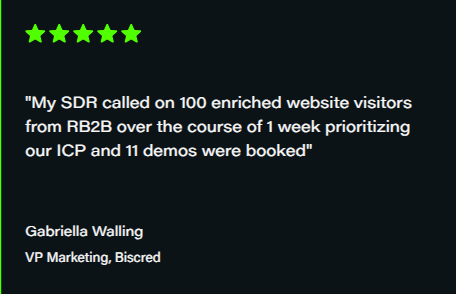
At RB2B, we help hundreds of revenue teams turn anonymous website traffic into real buyer insight every day. For Biscred, that led to 11 booked demos in just one week. Because we operate in this space, we know what separates great enrichment tools from average ones. This guide reflects that hands-on experience, helping you choose a tool that best fits your needs.
What are Data Enrichment Tools?
Data enrichment tools are solutions that add missing details to your leads and accounts. They turn basic info like a name or email into full profiles with job titles, company size, industry, and activity. These tools keep your data fresh so you can target accurately, qualify faster, and run campaigns that match real buyer intent.
Expectedly, the market for these tools is expanding rapidly, projected to grow from $2.58 billion in 2024 to $4.65 billion by 2029, with a 12.5% compound annual growth rate. As more businesses rely on accurate, real-time data to compete, enrichment has become essential rather than optional.
Why are Data Enrichment Tools Important?
Speeds up qualification: Helps your team quickly see which leads fit your ideal customer profile so reps spend time on the right accounts.
Sharpens targeting: Gives you clearer details about each lead, making it easier to send messages that match what they actually care about.
Reduces wasted effort: Cuts the time your team spends chasing bad or outdated contacts by keeping your records accurate and fresh.
Enhances segmentation: Provides stronger data so you can build more precise audience lists for campaigns, sequences, and outreach.
Boosts conversion rates: Gives you the context you need to reach qualified prospects at the right moment, increasing the chance they respond or book a call.
8 Top Data Enrichment Tools to Consider
Here’s a quick comparison of the tools.
Tool
Data Accuracy
Identification Level
Intent Signals
Depth of Enrichment
RB2B
High (person and company level, powered by strong data sources)
Person + company level
Robust page intent via Hot Pages
High (titles, LinkedIn, contact details)
Clearbit
Strong for firmographics; mixed contact accuracy
Company level (with some contact discovery)
Limited native intent
High (firmographics, technographics, roles)
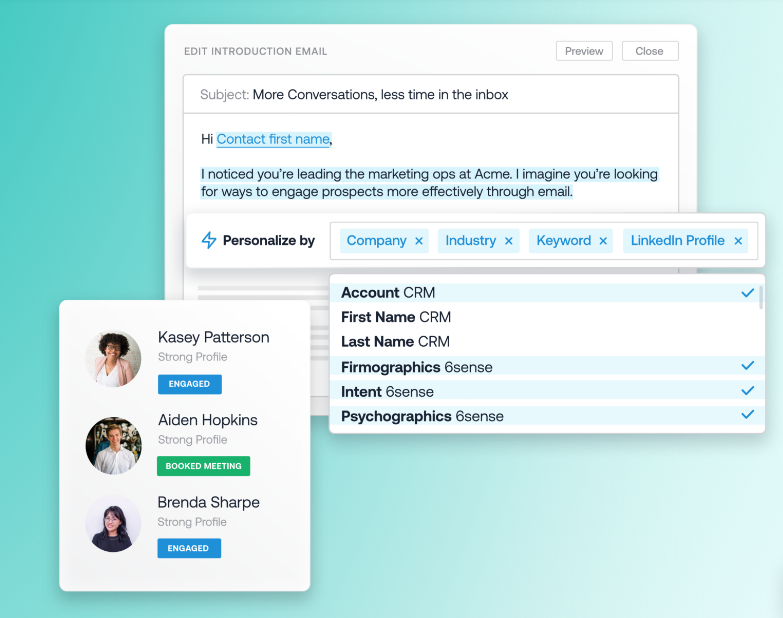
6sense
Strong for account-level intent; mixed contact accuracy
Company level
Advanced third-party + first-party intent
High (firmographics, technographics, intent layers)
Warmly
Mixed accuracy depending on visitor traffic and region
Company level
Basic intent signals and account fit scoring
Light enrichment tied to browsing behavior
Vector
Good for basic company match; weaker outside US
Mainly company level
Limited (page visits only)
Low (industry, size, basic details)
LeadIQ
Good email accuracy, mixed phone accuracy
Contact level (captured externally, not on site)
None (not an intent platform)
Strong contact enrichment for outbound lists
Apollo.io
Good email accuracy, mixed phone data
Contact level + company data
Light intent signals based on user activity
Strong enrichment with firmographic and technographic data
Leadfeeder
Moderate, depends on IP resolution
Company level
Basic visit intent only
Light enrichment with simple company details
1. RB2B
The first on the list is our tool, RB2B.
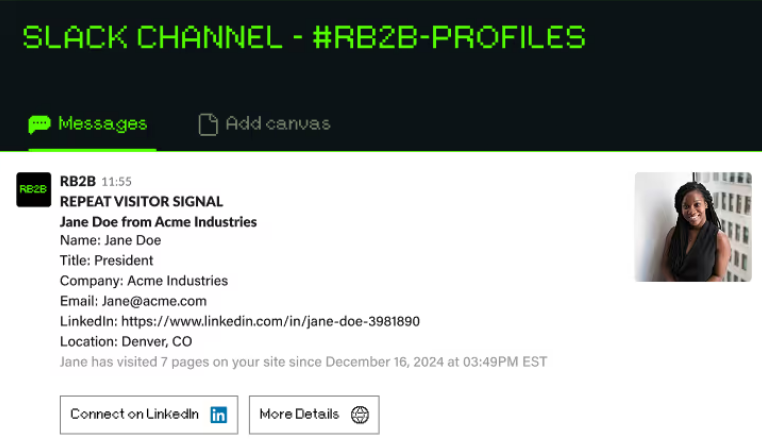
RB2B is a lead generation software that shows you who is on your site in real time, down to the actual person viewing each page. You see titles, LinkedIn profiles, and contact details, which makes it easier for sales and marketing teams to spot real interest instead of guessing who is behind the traffic.
Our platform sends this data straight to Slack or Microsoft Teams, so your team can act fast. With person-level and company-level identification, RB2B gives you the kind of signal strength that helps book more demos and move deals forward.
Key Features
Real-time visitor identification: See the actual people on your site with titles, LinkedIn profiles, and contact details for better targeting.
Hot pages tracking: Monitor which pages prospects return to and how often they engage. This helps your team understand what each buyer cares about most.
Hot leads tagging: Mark high-intent visitors who fit your ideal customer profile so reps can focus their time on the prospects most likely to convert.
Page suppression: Exclude traffic from specific domains such as internal teams or competitors so your sales team focuses on the most relevant leads.
Instant Slack and Teams alerts: Get notified the moment qualified buyers hit key pages, and reach out to prospects while interest is fresh.
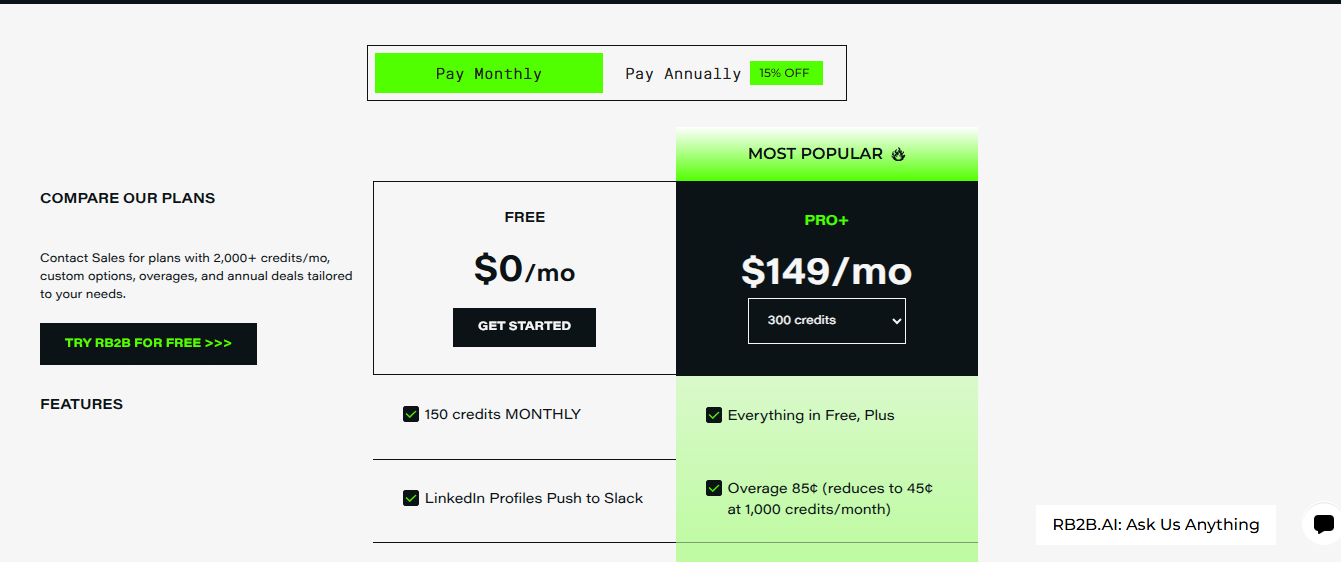
Free: $0/month. Includes 150 credits/month, LinkedIn profiles, push to Slack.
Pro+: $149/month (monthly) or $129/month (annually). Includes everything in Free, 300 credits plus traffic insights, hot pages, hot leads filtering, URL exclusions, CRM integrations (HubSpot, Salesforce, Apollo), webhooks, Zapier, and more.
Custom: Contact sales for plans with 2,000+ credits/month, custom options, overages, and annual deals tailored to your needs.
All plans come with a free trial to get started.
Pros
Real-time visitor identification with person-level data for sharper targeting.
Instant Slack and Teams alerts that help reps act while interest is high.
Hot Pages and Hot Leads features that highlight buyers with strong intent.
Person and company-level data powered by Demandbase’s data asset.
Lightweight tracking pixel that captures rich data without slowing your site.
Cons
Setup may take time, but the support team is always available to help.
2. Clearbit
Clearbit is a data enrichment tool that adds firmographic and contact details to the leads you already have. Now part of the Hubspot AI product suite, it helps sales and marketing teams understand who they are reaching, improve targeting, and qualify accounts with cleaner, more complete data.
Key Features
Data enrichment: Adds fresh firmographic and demographic attributes to records using Clearbit’s proprietary data graph.
Reveal identification: Unmasks anonymous website traffic by matching IP data to verified company profiles.
Contact discovery: Finds new contacts within target accounts using job title, role, and department filters.
Real-time refresh: Updates CRM records automatically as companies change size, funding, technologies, or roles.
CRM and MAP integrations: Connects with Salesforce, HubSpot, Marketo, and other major tools for synced data.
Pricing
Pricing is based on your HubSpot tier and can vary depending on your subscription and usage.
Pros
High data accuracy provides a reliable firmographic
Strong native integrations with major CRMs and marketing platforms
Real-time enrichment for updated contact and account records
Cons
Occasional data inconsistencies, including duplicates or outdated details
Initial setup and configuration can be overwhelming for non-technical users
3. 6sense
6sense helps revenue teams spot accounts that are active in the market and close to buying. The platform collects intent signals, buyer activity, and firmographic data so teams can focus on companies showing real interest and plan outreach with better timing and context.
Key Features
Intent signal detection: Monitors buyer research activity across the web using its intent data network and partnerships.
Account identification: Matches anonymous website sessions to known companies through IP data and proprietary models.
Predictive scoring: Uses machine learning models to score accounts based on the likelihood to engage or buy soon.
Buyer journey stages: Categorizes each account into defined stages based on behavior patterns and historical trends.
Audience segmentation: Builds detailed account segments using firmographic, technographic, and intent attributes.
Pricing
6sense has a limited free plan with a small monthly data credit for company and people search, list building, and sales alerts. All other plans are custom-priced.
Pros
Accurate intent signals for better timing and outreach focus
Strong account prioritisation and segmentation features
Good integration with CRM/marketing tools for sales-marketing alignment
Cons
Data quality can be inconsistent, especially contact level and enrichment details
Setup complexity for non-technical users
4. Vector
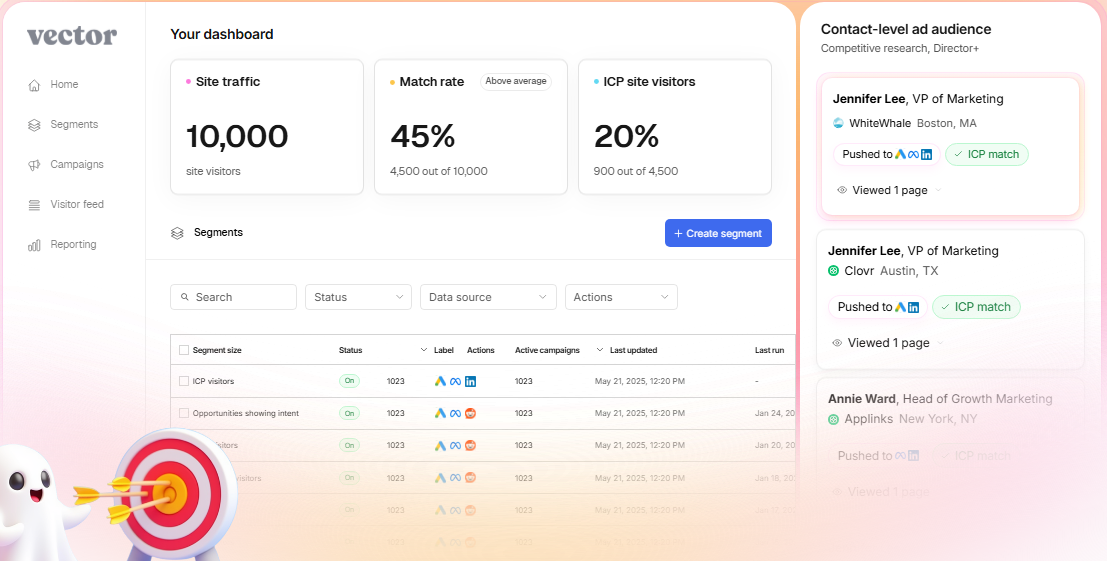
Vector gives you basic visitor identification by showing which companies are browsing your site. The solution focuses on simple lookups and quick alerts, giving small teams a lightweight way to see who is showing interest without adding extra complexity. While it is built around company-level data, Vector now also supports visitor insights and ad-audience tracking.
Key Features
Company identification: Detects and lists companies visiting your site using IP and data matching technology.
Basic firmographic data: Provides industry, size, and location details pulled from its internal company database.
Page view tracking: Records all pages a detected company visits during each session on your website.
Visit frequency logs: Tracks how often each identified company returns across multiple sessions and days.
Real time alerts: Sends immediate notifications when a new company lands on important pages of your site.
Pricing
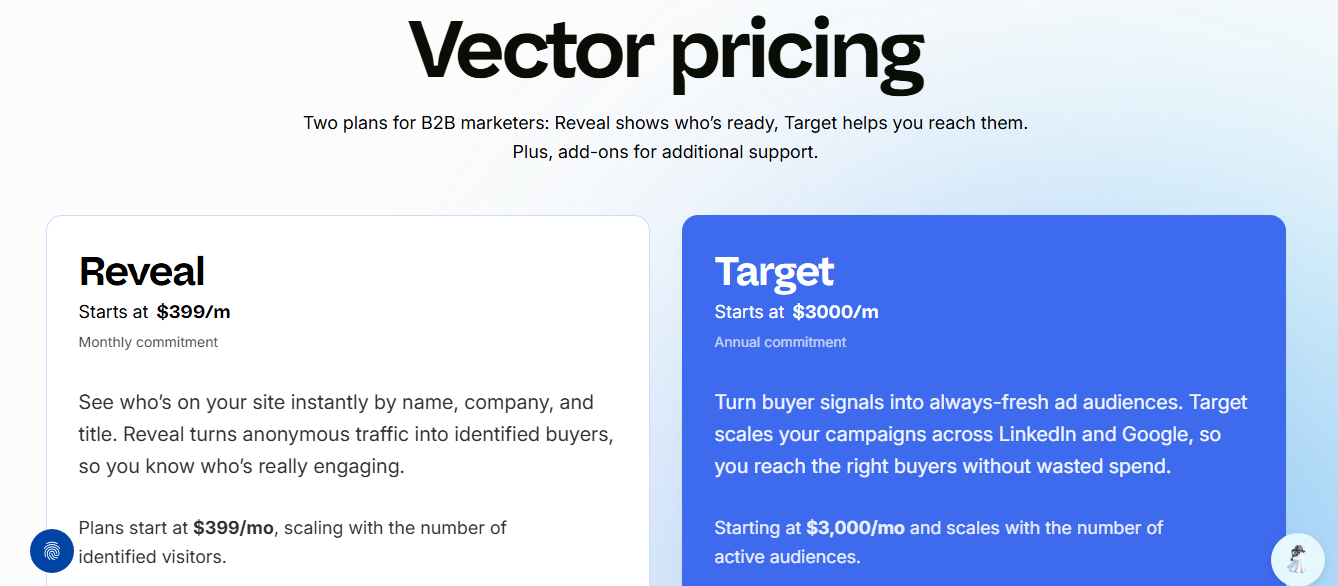
Vector offers two main plans:
Reveal: $399/month (for 2,500 identified visitors) with a monthly commitment. It scales with the number of identified visitors.
Target: Starts at $3,000/month (annual commitment) with access to 25 ad audiences.
Both plans include visitor identification, CRM, ad integrations, and setup support.
Pros
Clean, easy-to-use interface praised by non-technical users
Reliable company-level visitor identification for B2B traffic
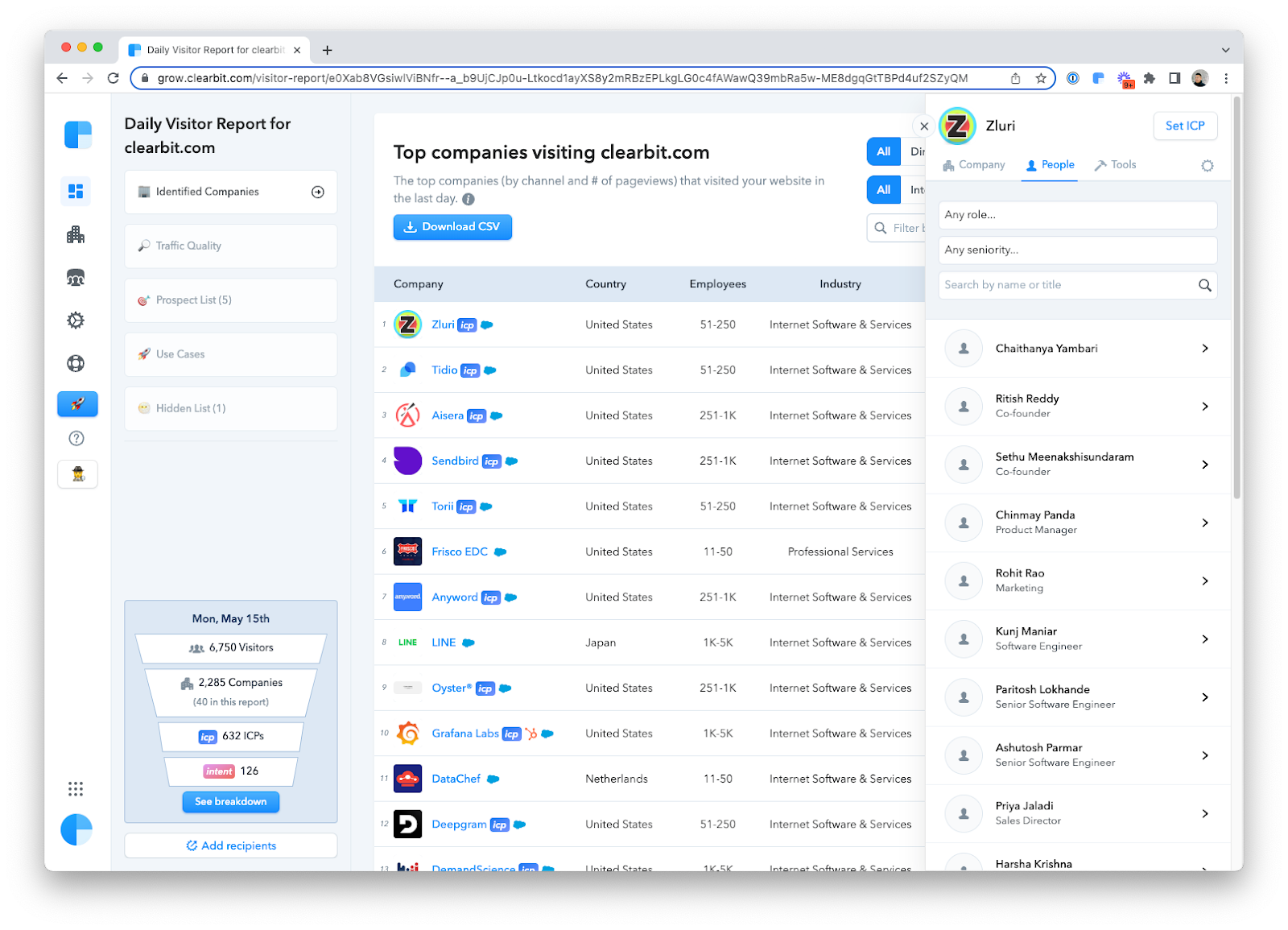
Helpful daily reports that keep teams aware of new visitor activity
Cons
Limited native integrations, requiring workarounds for some workflows
No person-level identification, which limits outreach precision
5. Warmly
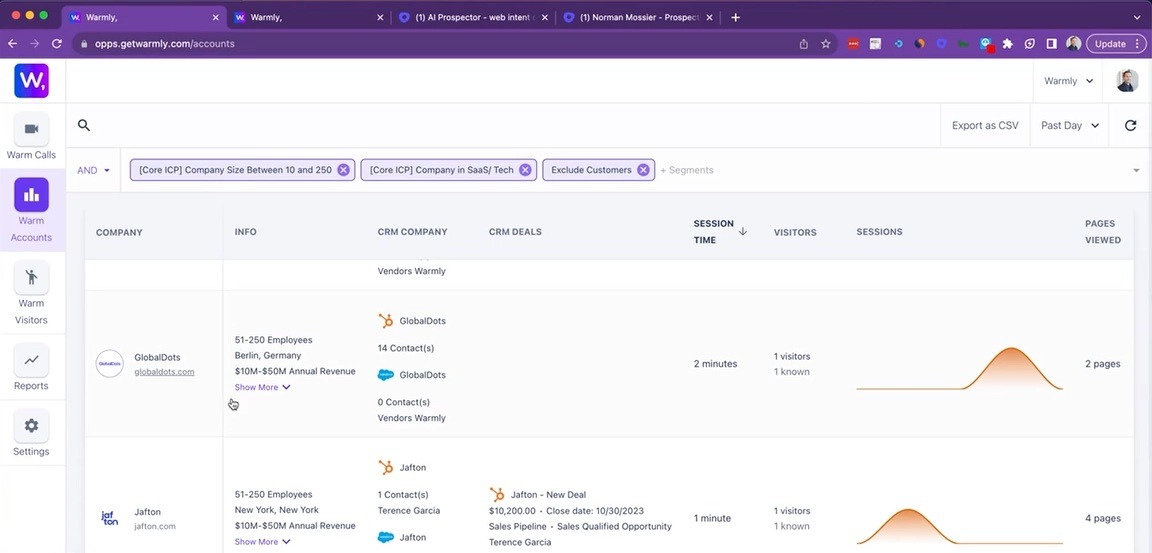
Warmly is a visitor identification tool that matches your website traffic to real companies. It gives clear details on who is browsing, what they viewed, and how engaged they are, making it easier for sales teams to spot active accounts and reach out with purpose. For more options, check out our guide on the best Warmly alternatives.
Key Features
Visitor identification: Matches website traffic to known companies using Warmly’s internal dataset and IP resolution.
Contact suggestions: Surfaces likely contacts from each identified company based on role, seniority, and department.
Page engagement tracking: Logs which pages each company viewed and how long they stayed on them.
Persona badges: Displays quick badges like fit level, industry, and team size for faster qualification.
Real time notifications: Sends instant alerts when target accounts land on important pages of your site.
Pricing
Warmly offers three pricing tiers:
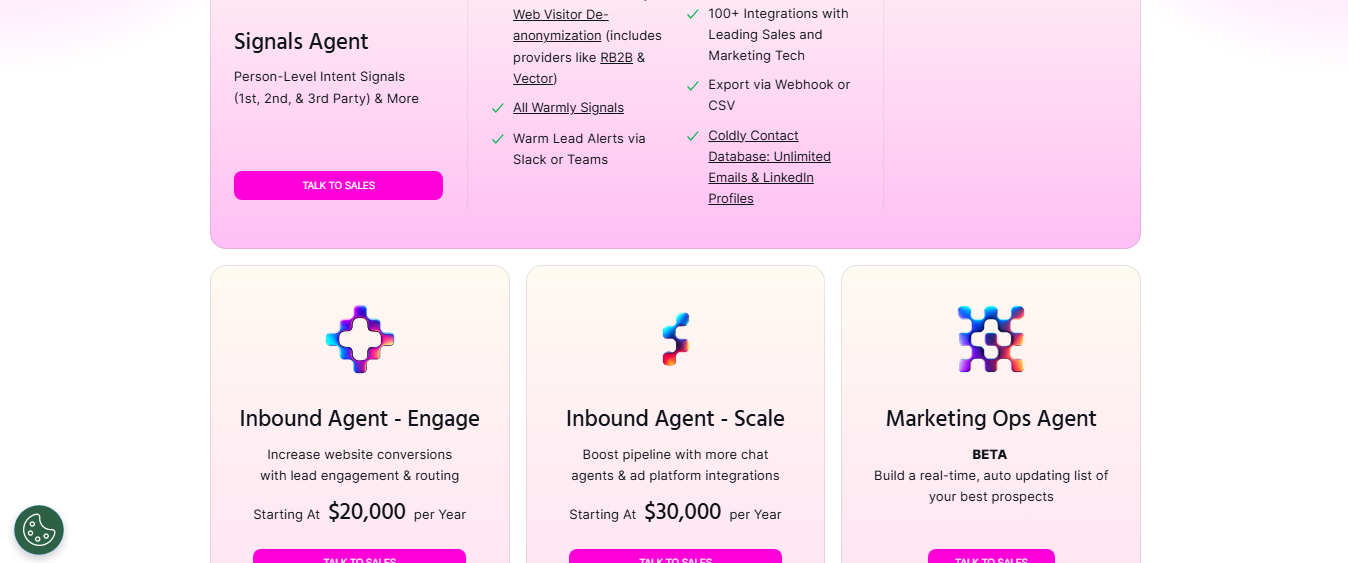
Signals Agent: Includes 10,000 monthly credits, full intent data, enrichment, Slack/Teams alerts, CRM integrations.Custom-quoted.
Inbound Agent: Starting at $20,000/year. Adds AI chat agents, outbound automation, ad audience sync.
Enterprise: Custom-quoted. Unlimited user seats, custom domains, SSO, advanced services and integrations.
Helpful in generating new leads from anonymous website traffic
Good intent-filtering capabilities to highlight higher-interest accounts
Cons
Inconsistent data accuracy leads to misidentified visitors
Unit pricing is high, making it less accessible for smaller teams
6. LeadIQ
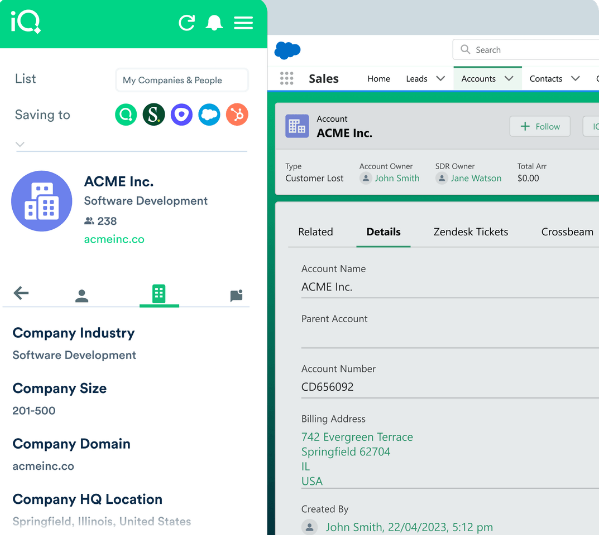
LeadIQ is a prospecting and enrichment tool that helps teams capture contact information while they browse LinkedIn and company sites. It fills in verified emails, titles, and firmographic details, making it easier for sales reps to build accurate lists and start outreach with intent.
Key Features
Contact capture: Pulls emails, phone numbers, and job titles directly from LinkedIn and company websites.
Identity resolution: Matches captured contacts to verified records using LeadIQ’s data graph and enrichment engine.
Data enrichment: Adds firmographic and technographic attributes to each saved contact for fuller profiles.
List building tools: Lets reps create and organize prospect lists with tags, filters, and saved views.
Duplicate detection: Flags existing contacts and accounts already in your CRM to avoid repeats.
Pricing
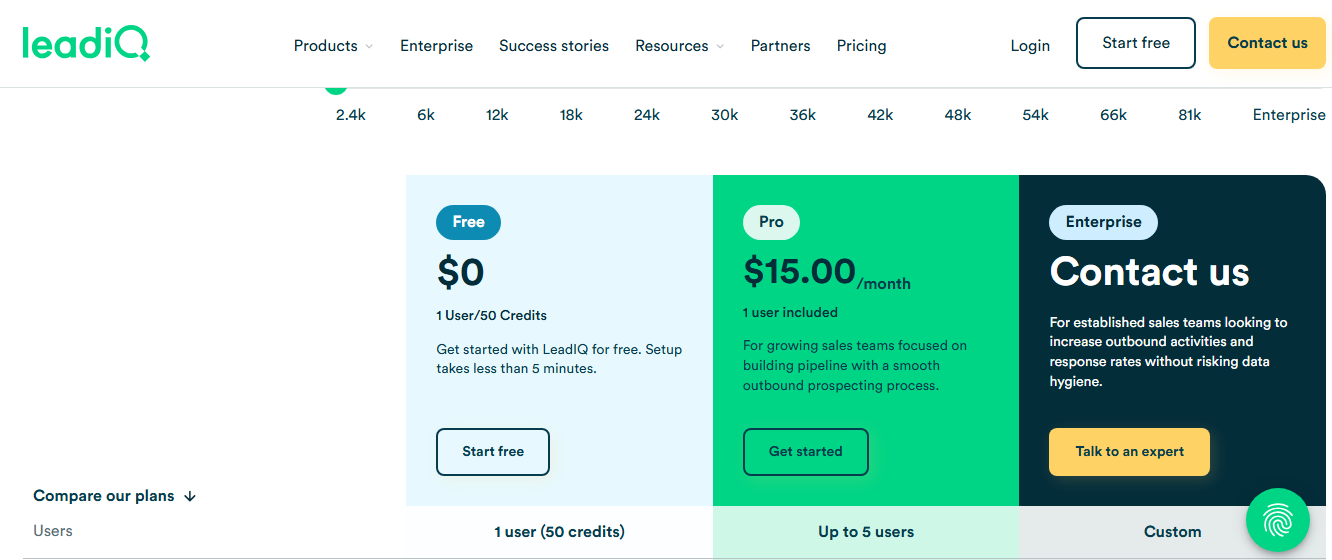
LeadIQ offers three pricing plans:
Free: $0/month (1 user / 50 credits). Access basic contact search and outbound tools.
Pro: Starting from $15/month. Intended for growing sales teams focused on outbound prospecting workflows.
Enterprise: Custom pricing. Designed for larger teams needing advanced features, governance, and scale.
Pros
Easy Chrome extension enables one-click lead capture
Strong email accuracy compared with many competitors
Reliable CRM integration pushes contacts into Salesforce, HubSpot, and Outreach
Cons
Contact data quality can vary, especially for mobile numbers and niche industries
Export/usage limits and credit-based model may force earlier upgrades than expected
7. Apollo.io
Apollo.io is a sales intelligence and enrichment platform that gives teams access to verified emails, direct dials, and detailed company data. It helps reps build accurate prospect lists, understand buyer fit, and run targeted outreach using cleaner, more reliable information. Learn more about Apollo in this detailed Apollo.io review.
Key Features
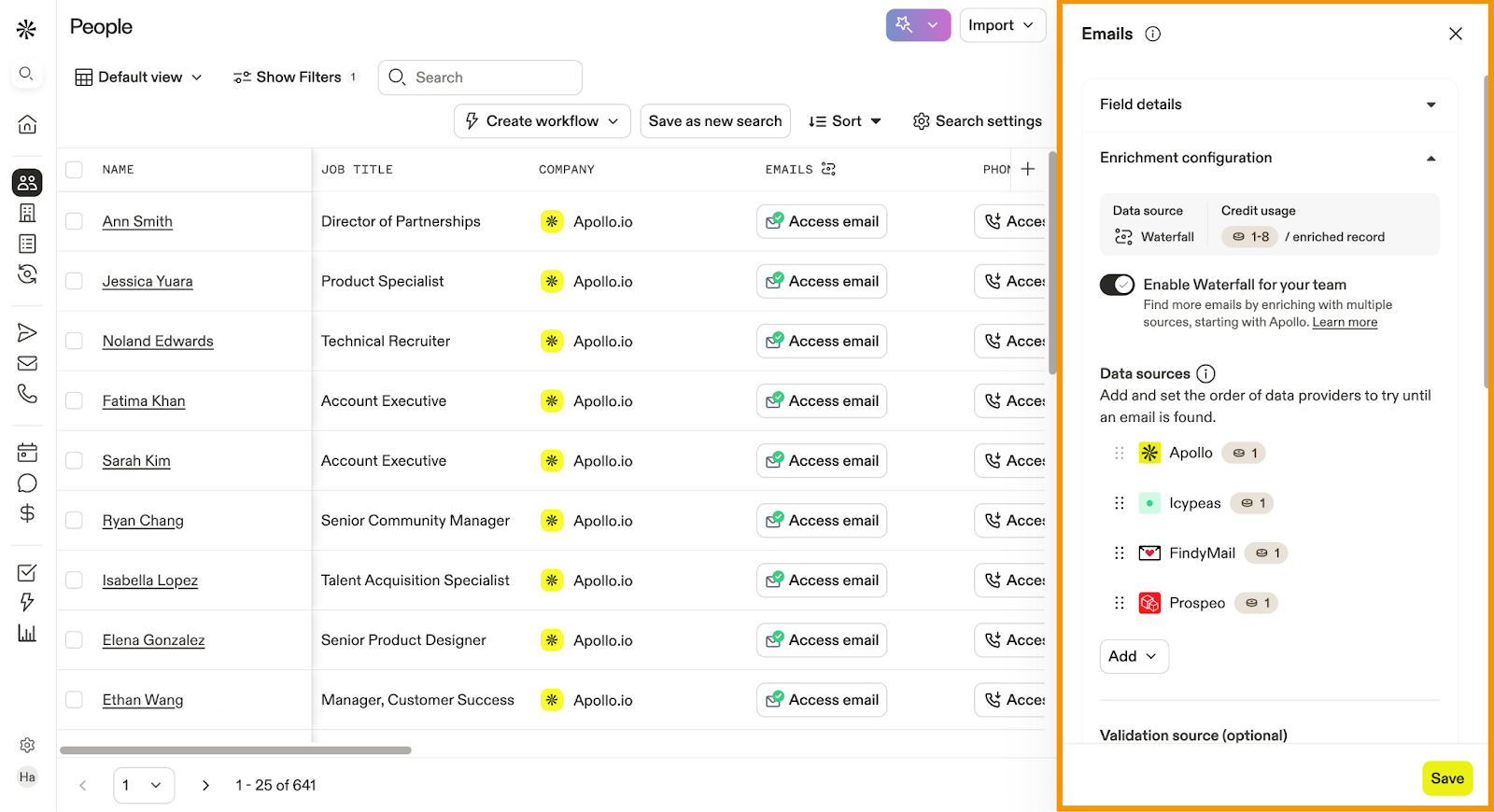
Contact database: Provides a large library of verified emails, phone numbers, and job titles across global companies.
Company intelligence: Supplies firmographic, technographic, and hiring data through Apollo’s internal company records.
Enrichment engine: Updates and completes existing CRM records with fresh contact and account details.
Sequence builder: Lets reps create outreach sequences with email, call steps, and task workflows.
Intent filters: Surfaces accounts showing buying activity using Apollo’s browsing and signal collection.
Pricing
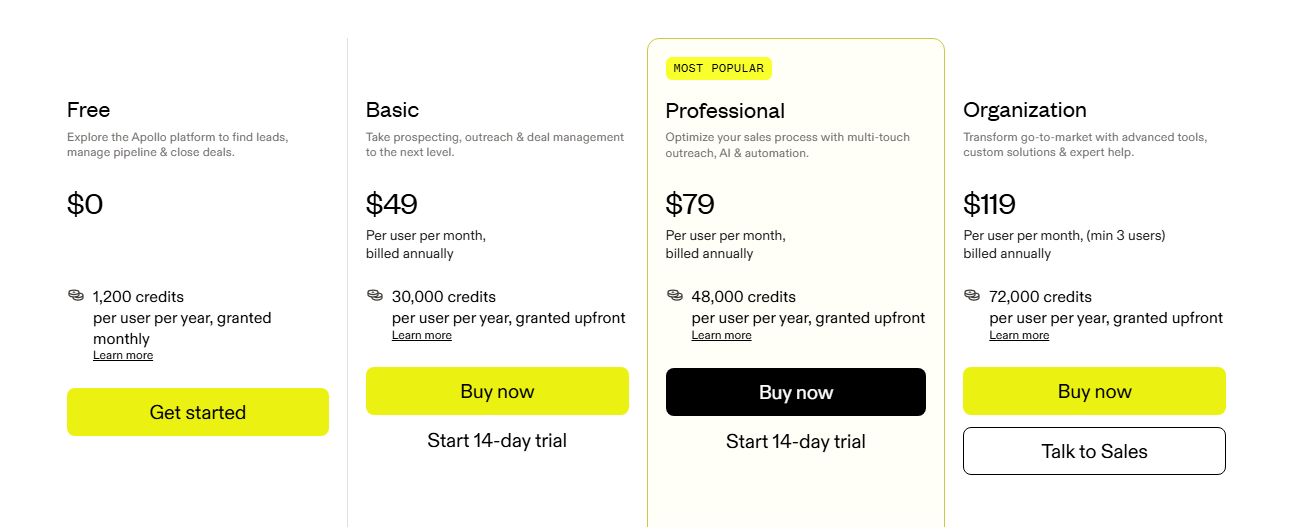
Apollo.io offers four pricing plans:
Free: $0/user/month. Includes unlimited email credits (fair usage limit), 5 mobile credits/month, 10 export credits/month.
Basic: $49/user/month (billed annually). Includes advanced filters, 6 intent topics, CRM & data enrichment features.
Organization: $119/user/month (billed annually); minimum 3 users. Includes custom intent topics, SSO, advanced security, and high credit limits.
Pros
Large contact database with verified emails boosts outreach effectiveness
Built-in multichannel sequencing supports email, calls, and LinkedIn
Robust search filters help teams find prospects easily
Cons
Export limits and credits model can restrict large-scale campaigns
Feature depth and settings may feel overwhelming for new users
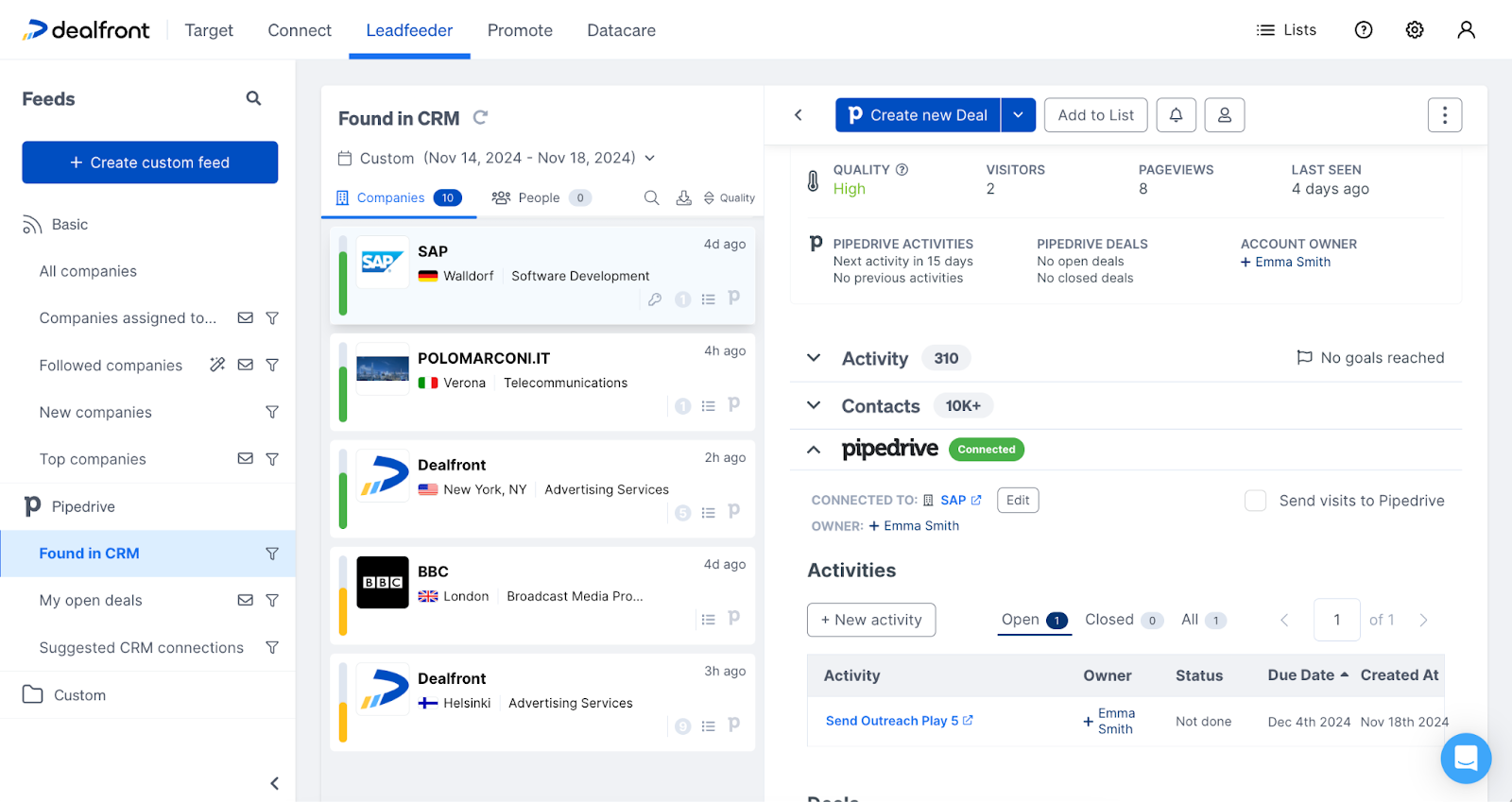
8. Leadfeeder
Leadfeeder is a company identification tool that shows which businesses visit your website and how they interact with your pages. The platform connects anonymous traffic to real companies and gives sales teams clear insights into buying interest so they can focus on accounts already showing intent.
Key Features
Visitor identification: Matches your website traffic to real companies using IP data and Leadfeeder’s proprietary database.
Company insights: Provides firmographic details like industry, size, and location for each identified visitor.
Page engagement tracking: Records which pages a company viewed and how often they returned.
Lead scoring: Automatically ranks companies based on activity levels and fit.
CRM integrations: Syncs identified accounts and activity directly into HubSpot, Salesforce, and other platforms.
Pricing
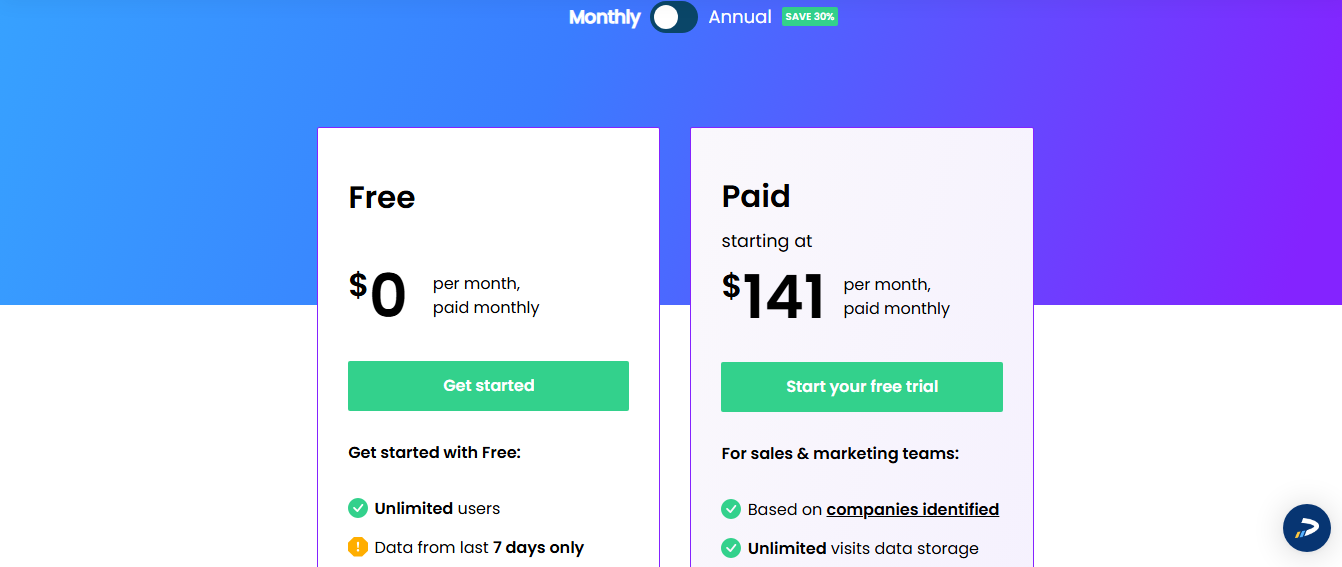
Leadfeeder offers two main pricing tiers:
Free: Identifies up to 100 leads, includes basic visitor identification and page tracking.
Paid: Starting at $141/month. Includes full lead history, advanced filtering, custom segments, CRM integrations, and unlimited users.
Pros
Easy to filter and segment visitor data for targeted outreach
Smooth integration with CRM systems like HubSpot and Salesforce
Solid value for teams managing higher website traffic volumes
Cons
Company-level only identification leaves out individual visitor details.
Data accuracy and lead quality can vary, especially for smaller firms
The right data enrichment tool is the one that helps you do three things consistently: identify the right prospects, personalize your outreach, and convert leads into revenue. Without these, even the best campaigns fall flat and opportunities slip through the cracks.
RB2B solves that by giving you verified, real-time data that transforms incomplete records into clear, actionable profiles. With features like real-time visitor identification, hot-page tracking, and hot-lead tagging, our platform empowers you to run smarter outreach, drive faster conversions, and build a healthier, more predictable pipeline.
A data enrichment tool adds missing details to your leads and accounts, such as job titles, company size, industry, and activity. This gives your team a clearer picture of who they are contacting.
What is an example of data enrichment?
A simple example is taking a basic email address and adding details like job title, company size, industry, and LinkedIn profile. With enrichment, a record that once said “john@example.com” now becomes a full profile you can qualify, segment, and reach out to with the right message.
What is the best data enrichment tool?
RB2B is one of the best data enrichment tools. Unlike tools that only add firmographic data, RB2B shows you exactly who is on your site in real time with person-level details, LinkedIn profiles, and contact information. This gives sales teams clearer intent, faster follow-up, and a more accurate picture of active buyers.
Which data enrichment tool is best for identifying real people on my website?
RB2B offers person-level and company-level identification, making it the strongest choice for teams that want to see who is on their site in real time.
Can small teams use data enrichment tools?
Yes. Tools like RB2B, Warmly, and Leadfeeder are easy to set up and require minimal technical work. Others, like 6sense, are better suited for larger teams.